Guide
Where everything is in Cantle
A quick map of the game, because people often ask me where things are. If something isn’t here, write to me and I will add it.
Home
Opens with the app
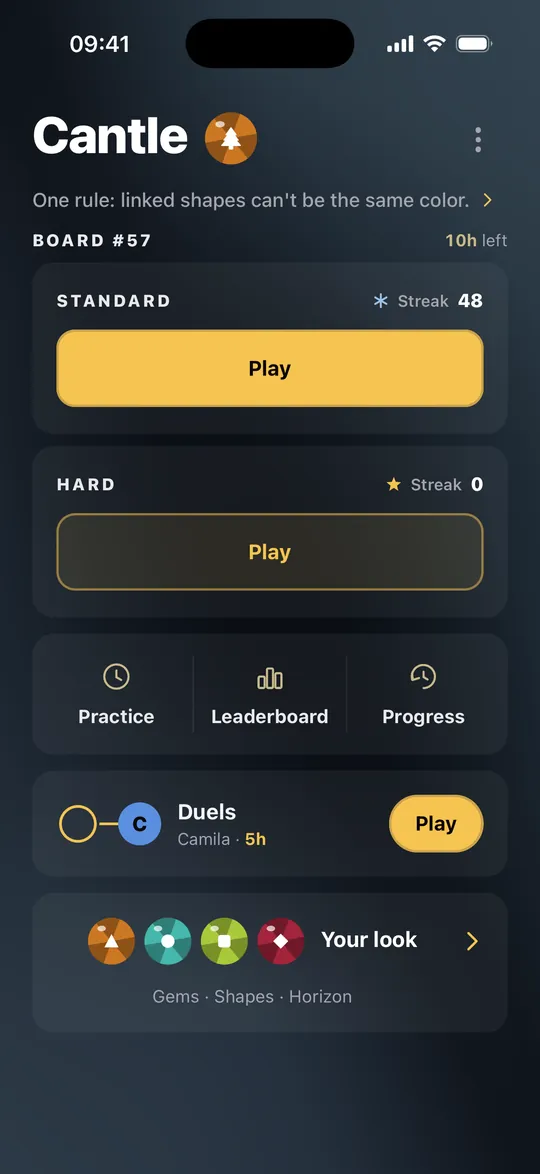
The big yellow Play button opens today’s board. Under it are practice, the leaderboard and your progress, then any duel you have going and the look of your board. Your profile sits behind the round button next to the Cantle name.
Profile and avatar
Home → round button next to Cantle → Edit avatar
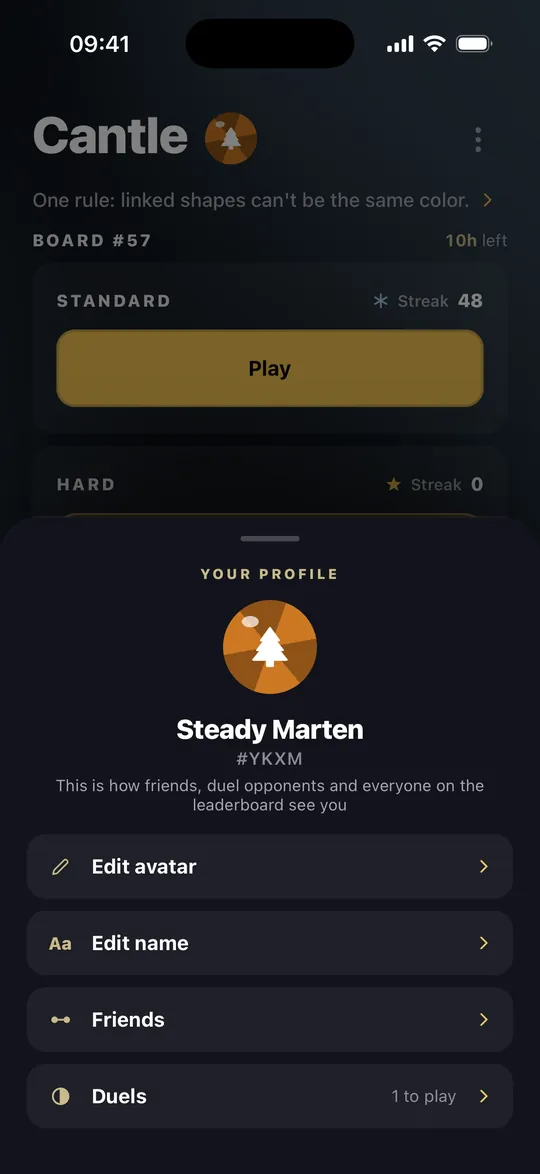
Tap the round button next to Cantle and your profile opens. What you see there is what other players see. Your avatar and name are changed from here.
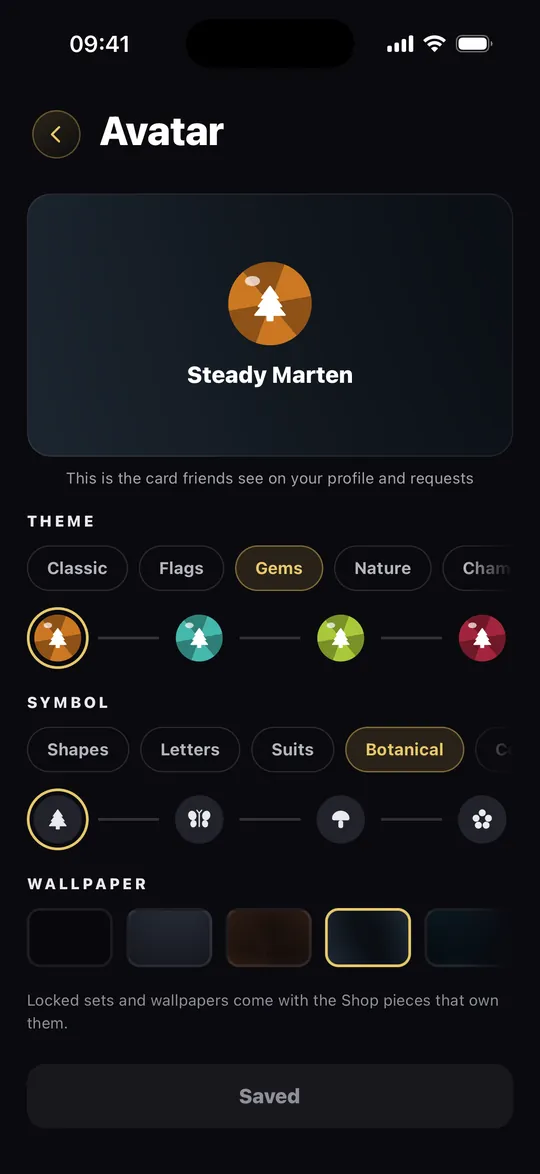
In the avatar editor you can use any theme, symbol and wallpaper you own. Play with it until you like it, then tap Save.
Adding a friend
Profile → Friends → Add a friend
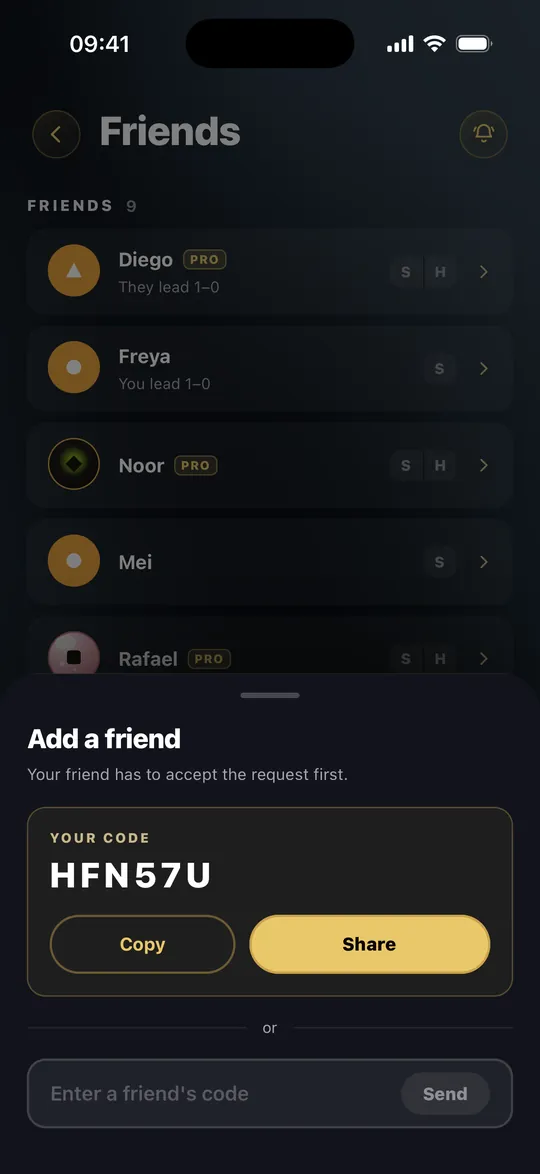
Your six-character code is at the top. Send it to a friend with Share, or type their code into the field below. They show up in your list as soon as they accept.
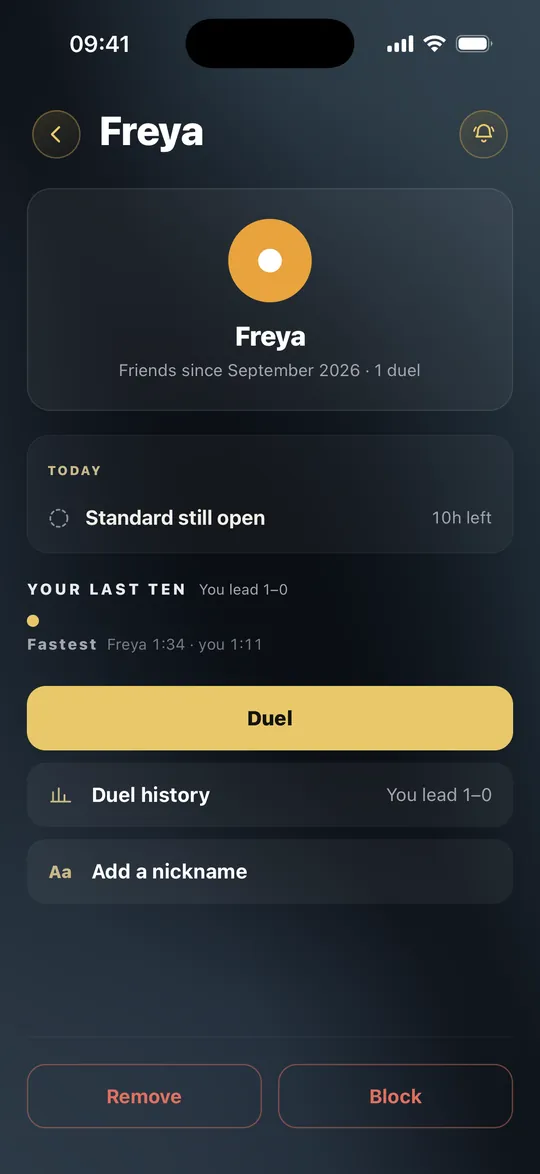
A friend’s page: duel, nickname, block
Friends → tap a name
You can see whether they have played today’s board and who won your recent duels. Challenge them from here, or give them a nickname that only you will see.
If someone gets annoying, there are Remove and Block. A blocked player disappears from your friends and your leaderboards and gets no message about it. You can also report their name to me from there.
Duels
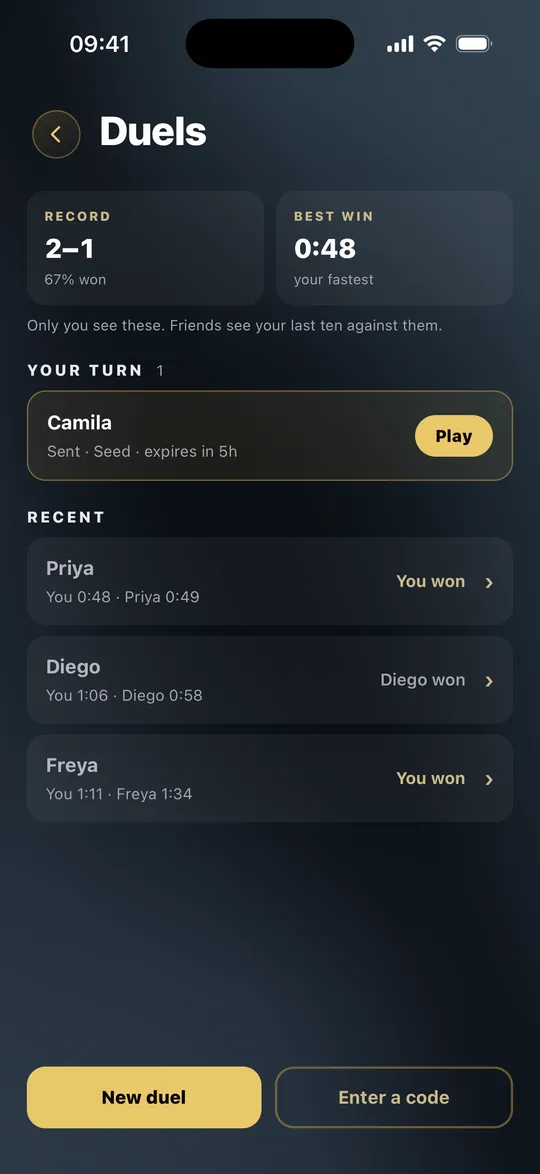
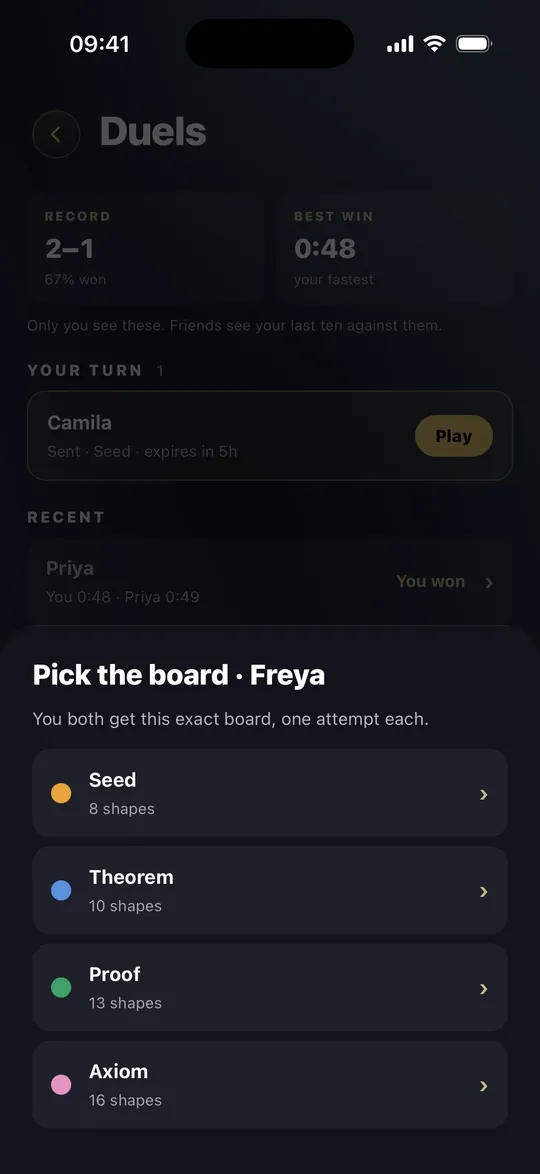
Profile → Duels → New duel
Pick a friend, then a board from Seed to Axiom. You both get the same board and one try, with a day to play it. Neither of you sees the other’s time until you have both finished. Proof and Axiom are part of Pro.
Want to play someone who isn’t a friend yet? Tap Send a code instead and send the code to anyone. Whoever enters it is your opponent. If someone sent you a code, type it in under Enter a code.
Reminding friends
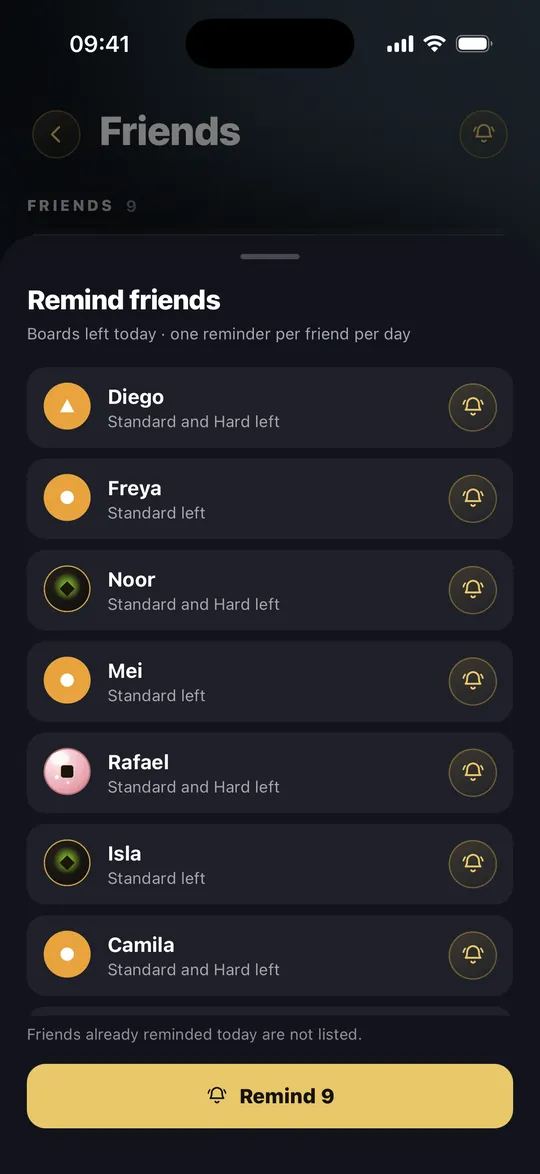
Friends → bell at the top
The bell at the top of your friends list shows who hasn’t finished today. You can remind each friend once a day, or use the button at the bottom to remind everyone.
Practice
Home → Practice
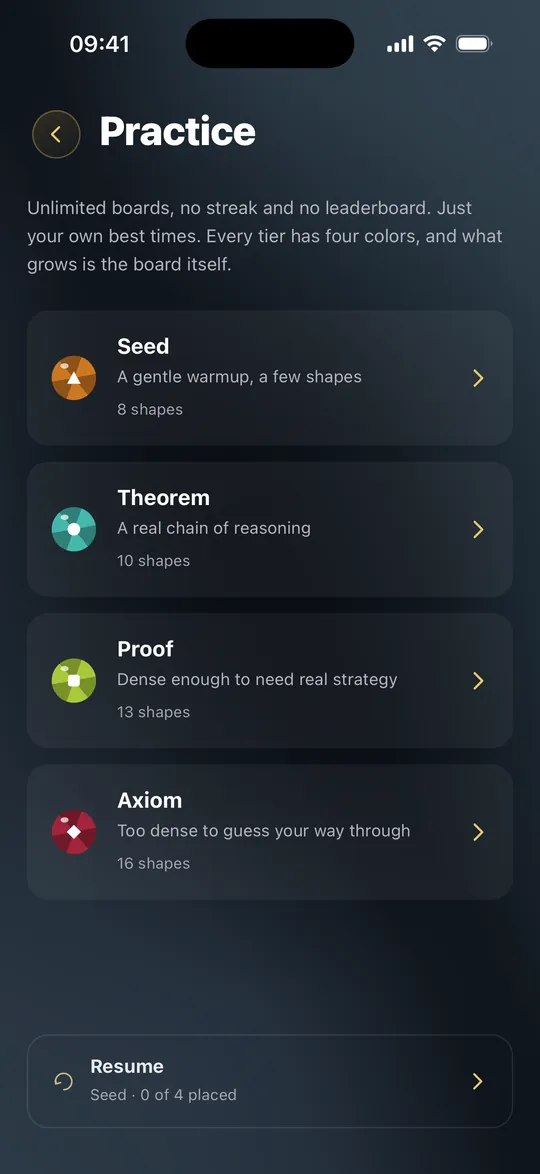
As many boards as you want, on four levels. Practice doesn’t touch your streak or the leaderboard. The game only remembers your best time. Proof and Axiom are part of Pro.
Themes, symbols and wallpapers
Home → Your look
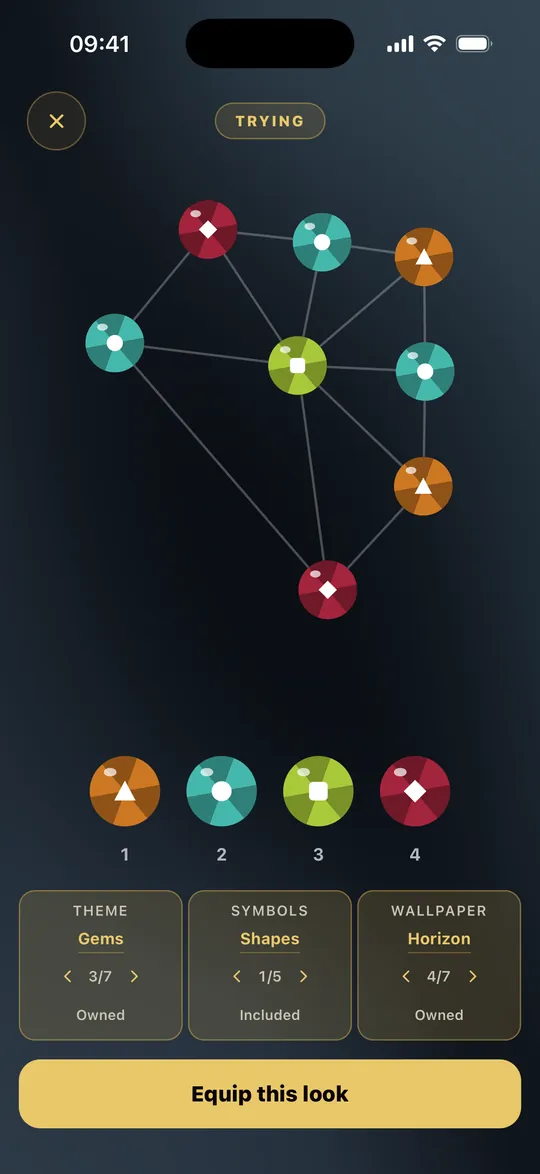
The Shop has three tabs: themes, symbols and wallpapers. Before you buy, tap Try on and play a real board with it. If you like it, tap Equip this look.
Symbols draw a small shape in every color, which helps if colors are hard to tell apart. You can turn them off in Settings.
Reporting a player
Leaderboard → tap a name
If you see an offensive name on the leaderboard, or a time that can’t be real, tap the row and choose Report. The player gets no message, and I look at every report myself.
Have an idea or a question?
Write to [email protected] about anything: an idea, a bug, something that feels awkward. I read the mail myself and answer every message.
Write to me